Thứ Ba, 5 tháng 8, 2014

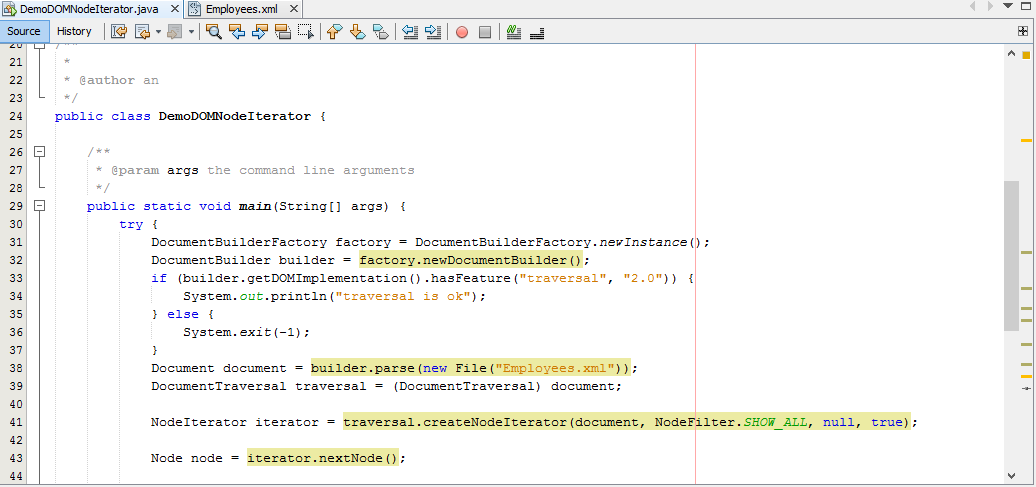
Show all tags of a xml document using TreeWalker

Create an application demonstrating traversal of a DOM tree using the
TreeWalker interface.
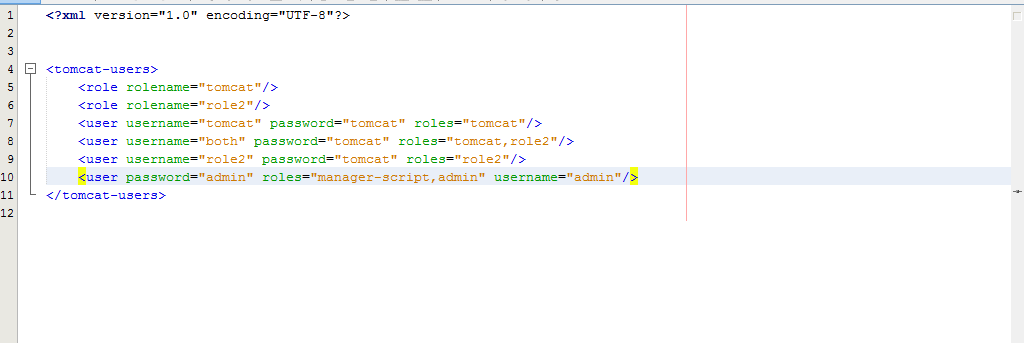
Create an XML document containing the employee details of an organization.
Then create an application, which uses the DOM parser to parse the XML
document into a DOM tree and traverses through it.
The application should implement the TreeWalker interface to traverse through
all the nodes present in the DOM tree and print the value of the nodes.


- Chạy :

Tổng Kết :
- TreeWalker và Nodeiterator đều load dữ liệu nhưng mỗi cái lại có ưu điểm riêng.
- TreeWalker dùng phức tạp hơn so với Nodeiterator do TreeWalker thể hiện quan hệ thứ bậc trong xml còn NodeIterator thể hiện thứ tự tài liệu.
- Phân biệt được TreeWalker và Nodeiterator .
- Hiểu về TreeWalker.

List all artist in xml document using NodeIterator

Create an application demonstrating traversal of a DOM tree using the
TreeWalker interface.
Create an XML document containing the employee details of an organization.
Then create an application, which uses the DOM parser to parse the XML
document into a DOM tree and traverses through it.
The application should implement the TreeWalker interface to traverse through
all the nodes present in the DOM tree and print the value of the nodes.


- Chạy :


Tổng Kết :
- Biết cách làm NodeIterator.
- Hiểu được NodeIterator.

Manipulate DOM tree

Create a student list student.xml. Write a program for a teacher to count the
number of students in a class. Create a DOM tree for parsing the student.xml.
Declare countStudents() function recursively count the number of Student
nodes till reaching the last node in the XML document.

- Chạy :

Create an application demonstrating the creation of a DOM tree in memory.
Create an empty DOM document in the memory, which will contain some
information about the employees of an organization. After creating the document
add employee names as element nodes to the document. For each employee add
an attribute node having name as EmployeeID and the corresponding value of
the ID. Finally, print the content of the DOM document.

- Chạy :


Tổng Kết :
- Hiểu rõ hơn về DOM.
- Biết cách làm bài thực hành về DOM.

Thứ Sáu, 1 tháng 8, 2014

Compare SAXParser & XMLReader

I. SAX Parser :
- Khi xử lý với file xml nó đọc file từ trên xuống dưới nên không tốn bộ nhớ có thể dùng với các file xml có dung lượng lớn nhưng chỉ có thể đọc.
- Đơn giản, code ít , tốc độ xử lý nhanh.
- Sử dụng mô hình đẩy.
- Không thể tác động lên dữ liệu xml.-
- SAX quét (scan) file XML từ trên xuống dưới, nên không tốn nhiều bộ nhớ, có thể áp dụng với file XML cực lớn, nhưng chỉ có thể thực hiện thao tác đọc.
II. XML Reader :
- XmlReader duyệt qua các phần tử XML một nội dung cùng lúc, trong khi bạn đang xem xét giá trị và chuyển đến các phần tử (element) tiếp theo. Do vậy, nó tiêu thụ bộ nhớ rất ít và chỉ nắm giữ các yếu tố hiện tại và làm cho nó trở nên nhanh hơn.
- Sử dụng mô hình kéo: dùng để xử lí nội dung phức tạp.
- Thông thường, dữ liệu được đọc từ bộ đệm parser vào đối tượng chuỗi, sau đó được đẩy vào bộ đệm của client. Mô hình pull cho phép client để cung cấp cho parser một bộ đệm trong đó các chuỗi được ghi trực tiếp.
- XMLReader sử dụng một mô hình kéo, code nhiều hơn.
III. Tổng Kết :
- Bài này giúp chúng ta tìm hiểu sự khác nhau giữa SAX Parser và XML Reader để hiểu sâu hơn và giúp chúng ta tránh sai sót khi làm code.

Validate xml in SAX

Create an application, which demonstrates the generation of an error during
parsing an XML document.
Write the code for handling different types of errors and exceptions.
Define an endDocument() method to override the contentHandler.
Declare a method to override the error method of errorhandler.


Chay :

Create an application, which demonstrates the implementations of DTDHandler
interface methods. As the DefaultHandler implements the DTDHandler
interface, you need to override the desired methods of DTDHandler interface.


Chay :

Create an XML file Report.xml that contains the sales data for this financial
year. 
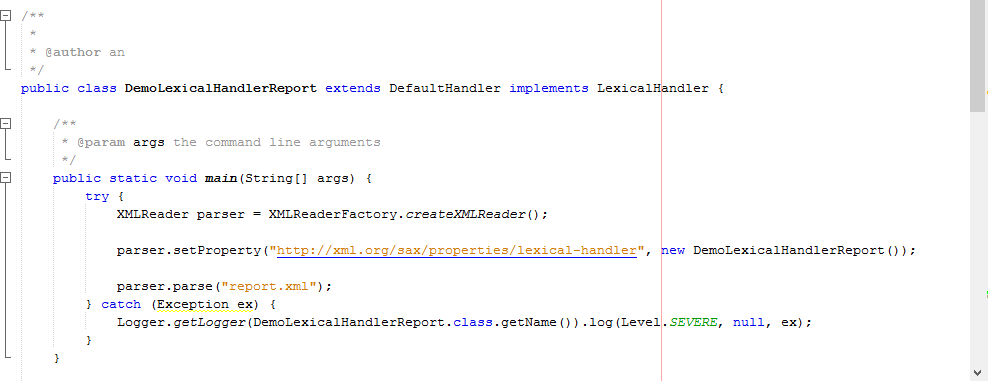
Create an application that demonstrates the implementations of LexicalHandler
interface methods 
The application should display the number of entities, CDATA, and comments in 
the Report.xml document.


Chay :

Tổng Kết :
- Các advance of SAX giúp cho việc kiểm soát lỗi tốt hơn.
- Giúp cho việc xây dựng ứng dụng đơn giản hơn.
- Biết cách sử dụng handler để kiểm soát dữ liệu tốt hơn giúp ta làm việc hiệu quả dễ dàng hơn.

Apply Filter

Create an application to get only name of employees of department 24 that has status contact(using xml file in sample)


Tổng Kết :
- Chúng ta dễ dàng sử lí dữ liệu hơn mà không cần phải thông qua if hoặc for,
- Chúng ta có thể dùng fillter khi chúng ta đọc dữ liệu.
- Sử dụng fillter có ích cho việc kiểm soát dữ liệu của chúng ta.
- Dùng fillter có thể thay đổi nguồn dữ liệu XML mà không phải thay đổi dữ liệu đó.
- Đọc dữ liệu tương đối dễ dàng.

Advanced topics of SAX

I. Handding Error :
1. Using non- validating parsers :
- Khi gặp lỗi trong quá trình quét dữ liệu . Nếu lỗi nghiêm trọng sẽ được tung vao một Session rồi đến Trace. Nếu lỗi không nghiêm trọng thì sẽ được tung vào một Default Errors rồi cũng đến Trace.

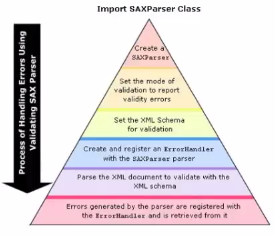
2. Using validating parsers :
- Bước 1: Tạo ra SAX Parser.
- Bước 2: Cài mode cho validation là có trả về lỗi.
- Bước 3: Lỗi sẽ được so sánh với schema trong validate dữ liệu.
- Bước 4: Tạo ErrorHandler trong SAXParser.
- Trong quá trình quét dữ liệu. nếu có lỗi gì thì ErrorHandler sẽ báo.

II. DTD Handler :

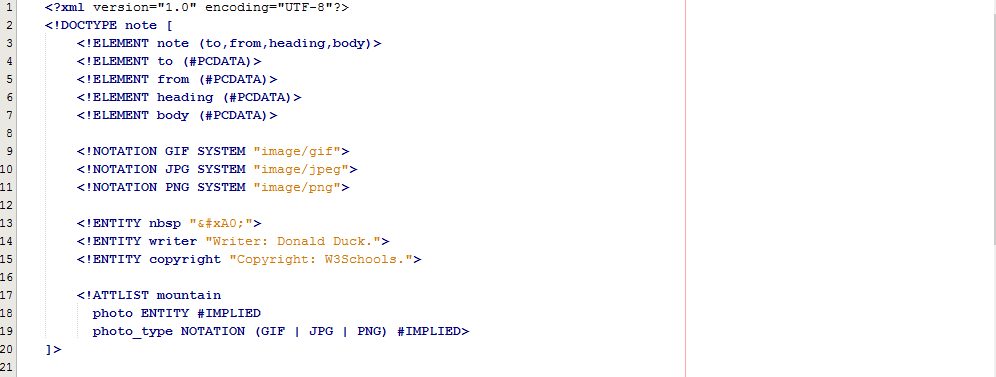
- DTD Handler là một interface để nhận thông báo của các sự kiện liên quan đến DTD
- Nếu như ứng dụng SAX cần thông tin về notations và unparsed entities thì ứng dụng sẽ implement và đăng ký một thể hiện với SAX parser sử dụng các phương thức setDTDHandler của parser.
- Parser sử dụng các thể hiện đó để để thông báo các notations và unparsed entities cho ứng dụng.III. Lexical Event :
- Được sử dụng để xác định các comment và những thứ liên quan đến parserd entities.

- Method :
IV. Entity Resolver :
- Khi một ứng dụng SAX cần xử lý cho các entity bên ngoài thì trước tiên nó phải implement interface này và đăng kí với SAX bằng phương pháp setEntityResolver.

V. Filters :
- Filter là SAX interface có nhiều vai trò chính trong đó nổi bật là :
   + Là sự kiện từ SAX driver cho các ứng dụng chúng ta dùng.
   + Là request từ các ứng dụng tới SAX Driver.
VI. Tổng Kết :
- Tất cả đều là những công cụ mạnh mẽ.
- Nó nhanh chóng kiểm tra đầu gần giống với dạng mà bạn mong đợi vào và loại bỏ bất kỳ dữ liệu nào khác trong quá trình xử lý.
- Đơn giản và rất dễ sử dụng.